Appearance
Keyword search
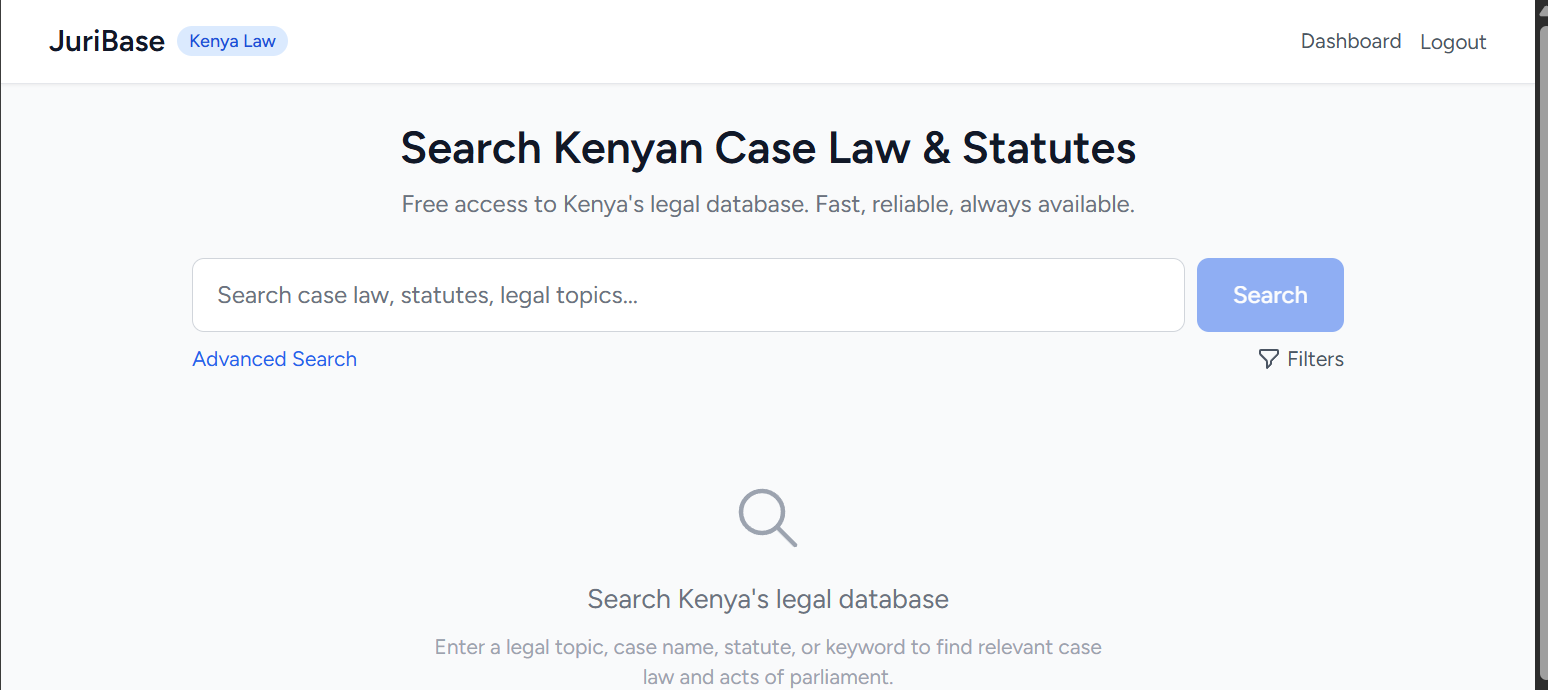
Keyword search is the fastest way into the law when you already know what you are looking for — a case by name, every decision that uses a particular phrase, the section of an Act on a point. It searches Kenya's case law and legislation directly and hands you the documents.
It lives at the top of the sidebar and behind the Keyword search card on the research screen; both open the Kenya Law search page.
What it searches
One query runs across the whole corpus at once:
- Case law from every court — Supreme Court, Court of Appeal, the Environment and Land Court, the Employment and Labour Relations Court, the High Court, Magistrate's Courts, Kadhi's Courts, the Small Claims Court, and tribunals
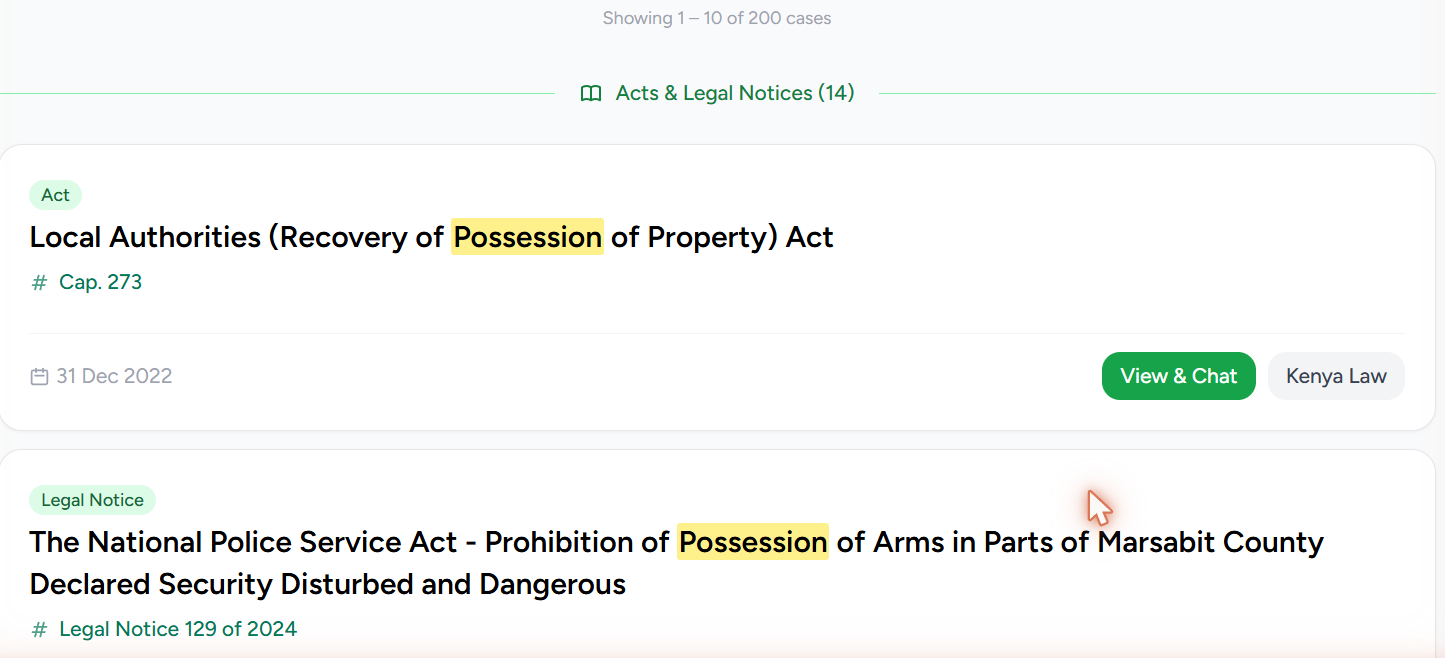
- Legislation — Acts, Legal Notices, and Subsidiary Legislation
- ODPC determinations — decisions of the Office of the Data Protection Commissioner
You can search the entire database without an account, and open any result's full case page, citation network and related-case tabs included. Signing in is only needed to put questions to a case in chat or to Save it for later.
Reading a result
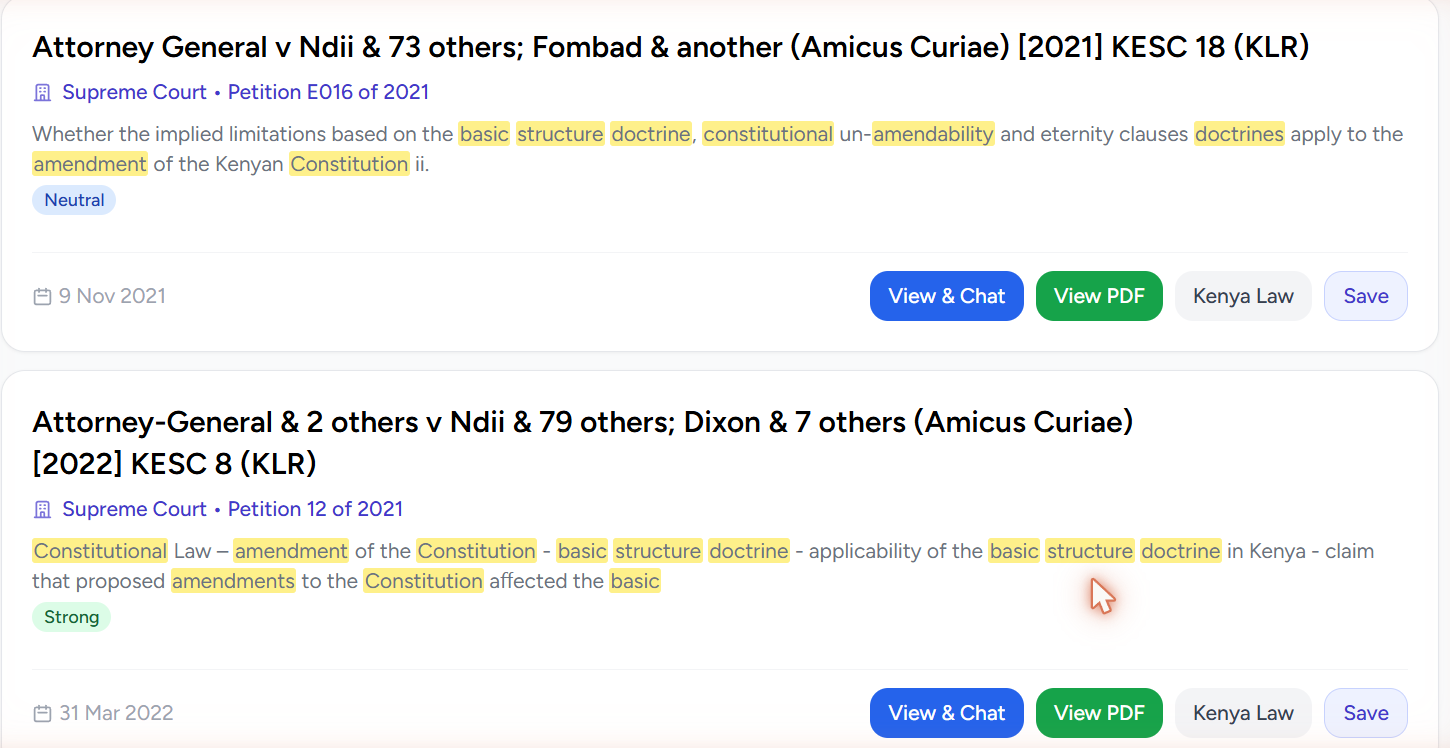
Each case result shows the full case name and neutral citation, the court and case number, a short extract with your search terms highlighted, the authority-strength badge, and the date. It offers four actions:
- View & Chat opens the case's own case page — its full record, its citation network, and JuriBase's related-case tabs. Signed in, that page also carries a Chat with case law & legislation panel for interrogating the judgment; without an account you can still read every tab, and only the chat and Save are held back
- View PDF opens the document as a pdf
- Kenya Law goes out to the official copy on kenyalaw.org
- Save keeps it for later
Authority strength
Every case result carries a small badge — Strong, Neutral, or Weak. It is a signal of how far later courts have leaned on that decision, computed from its citation history: how often it has been cited, how it was treated each time (following and applying count for it, overruling against it), and how authoritative the citing courts are, with weight given to the level of the court that decided it.
- Strong — later courts have cited and relied on it positively; it is well embedded in the case law.
- Weak — it has been treated negatively, for example overruled or otherwise undermined by later decisions.
- Neutral — there is not yet enough citation history to place it either way. Be careful with this one: Neutral does not mean the case is sound, or unsound. A recent or rarely-cited decision sits here no matter how good the law in it is.
It is a heuristic drawn from citation patterns, not a formal citator. Open the judgment and confirm its current standing before you rely on it.
Opening a case
View & Chat on any result opens that case's own page.
Below the header — case title, court, neutral citation, date, and the authority-strength badge — sits a row of tabs. The first four will be familiar from Kenya Law; the last three are JuriBase's own.
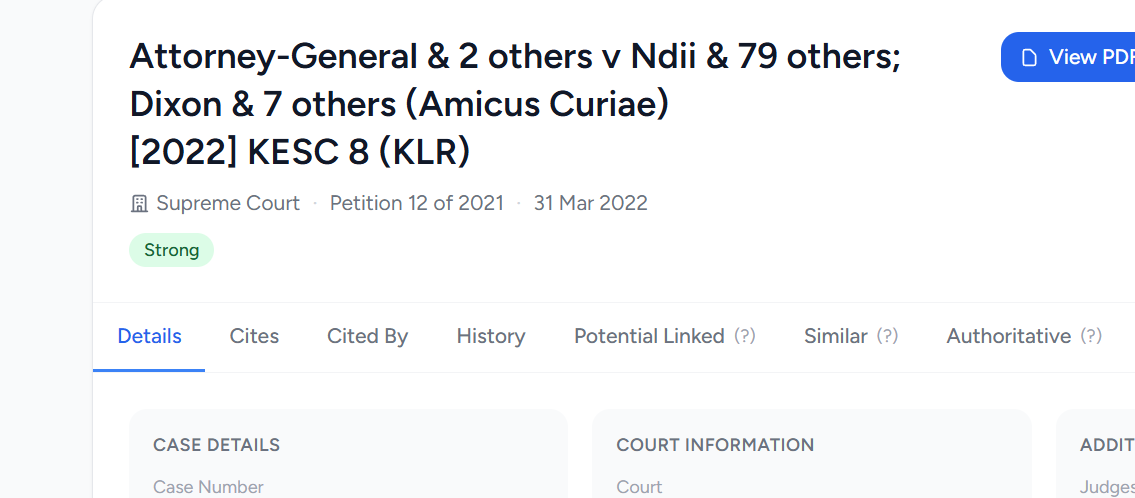
The citation tabs
- Details — the case's metadata in one place: case number, judgment date, court, station and division, filing county, the bench, and the document type and language.
- Cites — the authorities this judgment relies on: earlier cases, Acts, and Legal Notices. Where JuriBase holds the cited document, a View Case button jumps straight to it.
- Cited By — later judgments that have cited this one. Each is tagged with how it treated the case — followed, applied, distinguished, explained, overruled — which is the fastest read on whether the decision has held up.
- History — the procedural and appellate history of the same matter: the chain of the case as it moved through the courts.
These four mirror what Kenya Law records. JuriBase resolves each entry to a document in its own corpus, so you can walk the citation network without leaving the page. The treatments under Cited By are the same raw material that feeds the authority-strength badge.
Three JuriBase tabs that go beyond the citations
Kenya Law can tell you what a judgment cites and what cites it. JuriBase adds three tabs that find related law the citation graph misses — by party, by meaning, and by weight of authority.
Potential Linked — other cases involving the same parties that are not already in the citation tabs. JuriBase reads the party names out of the case title, searches for other judgments naming them, then drops anything already shown under Cites, Cited By, or History. Use it to trace one dispute across its separate suits: the appeal you did not know about, a parallel application, the same litigants fighting a related matter. Because it matches on names, common or institutional parties — a bank, the Attorney-General, a county government — can pull in unrelated cases. It needs at least two distinct party names to run.
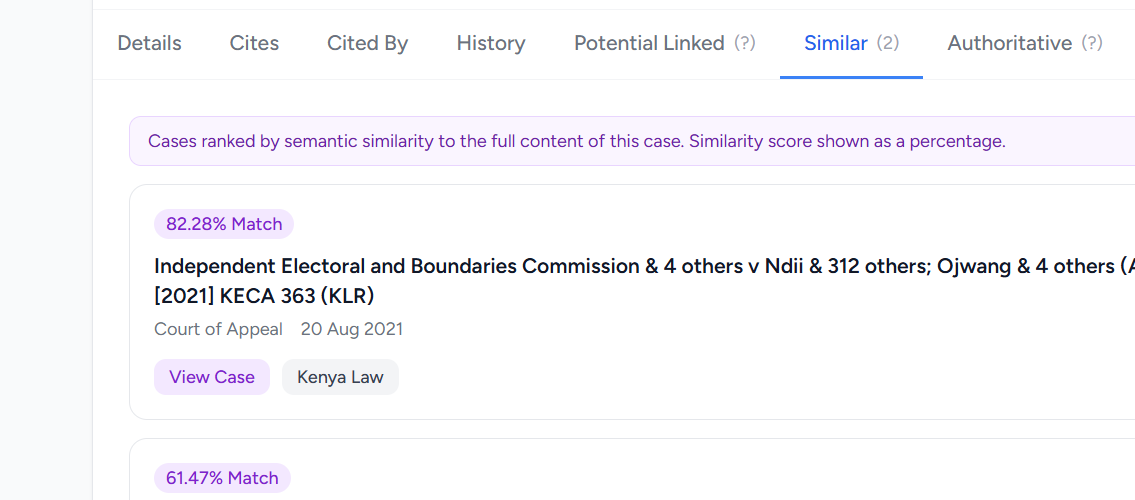
Similar — cases ranked by how closely their full text resembles this one, shown as a percentage match. This is a meaning-based comparison, not a keyword or citation one, so it can surface a judgment on the same facts, or the same point, that shares no citation and no party with the case in hand. Reach for it when you have one good case and want more of the same.
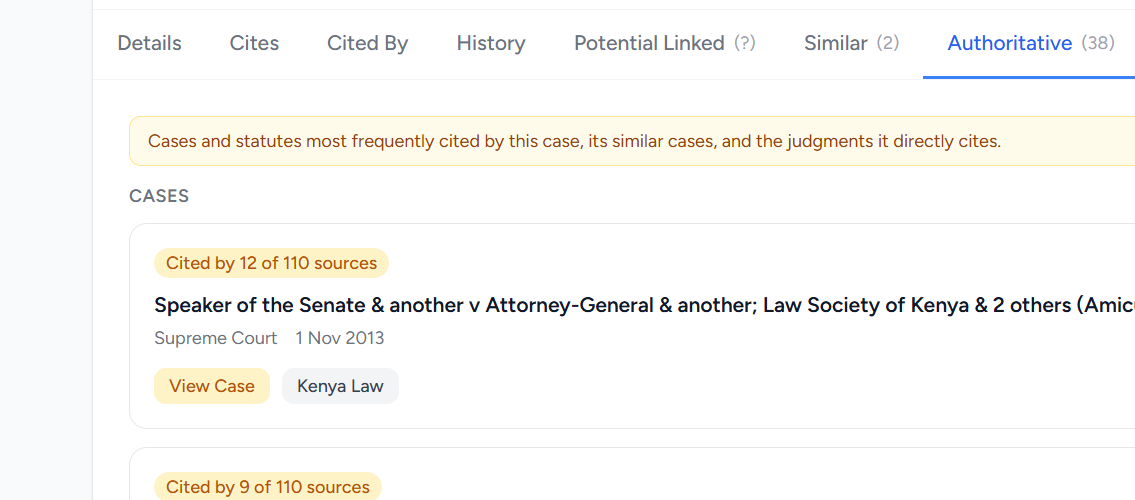
Authoritative — the cases and statutes the surrounding law leans on most. JuriBase builds a neighbourhood around the case — the case itself, its most similar cases, and the judgments it directly cites — then counts what all of them cite in common. An authority cited by many of those sources is one you probably cannot ignore, even where the case you started from does not cite it directly. Each result shows how much of the neighbourhood cites it ("Cited by 12 of 110 sources") alongside its total citations across the whole corpus. Use it to find the load-bearing authorities in an area from a single starting case.
Together these turn keyword search from a lookup into a starting point. Find one solid case by keyword, open it, and let Similar and Authoritative widen the net to cases you would not have known to search for — then check Potential Linked to see whether the parties have been here before.
Like the authority-strength badge, all three are computed signals, built for discovery rather than verification. They point you at cases worth reading; they do not vouch for their standing. See Limitations.
Filtering
The Filters panel narrows results by date range, by court, and by judge. Use it to cut a broad phrase down to, say, only Court of Appeal decisions in the last two years, or everything a named judge has said on a topic.
Advanced (Boolean) search
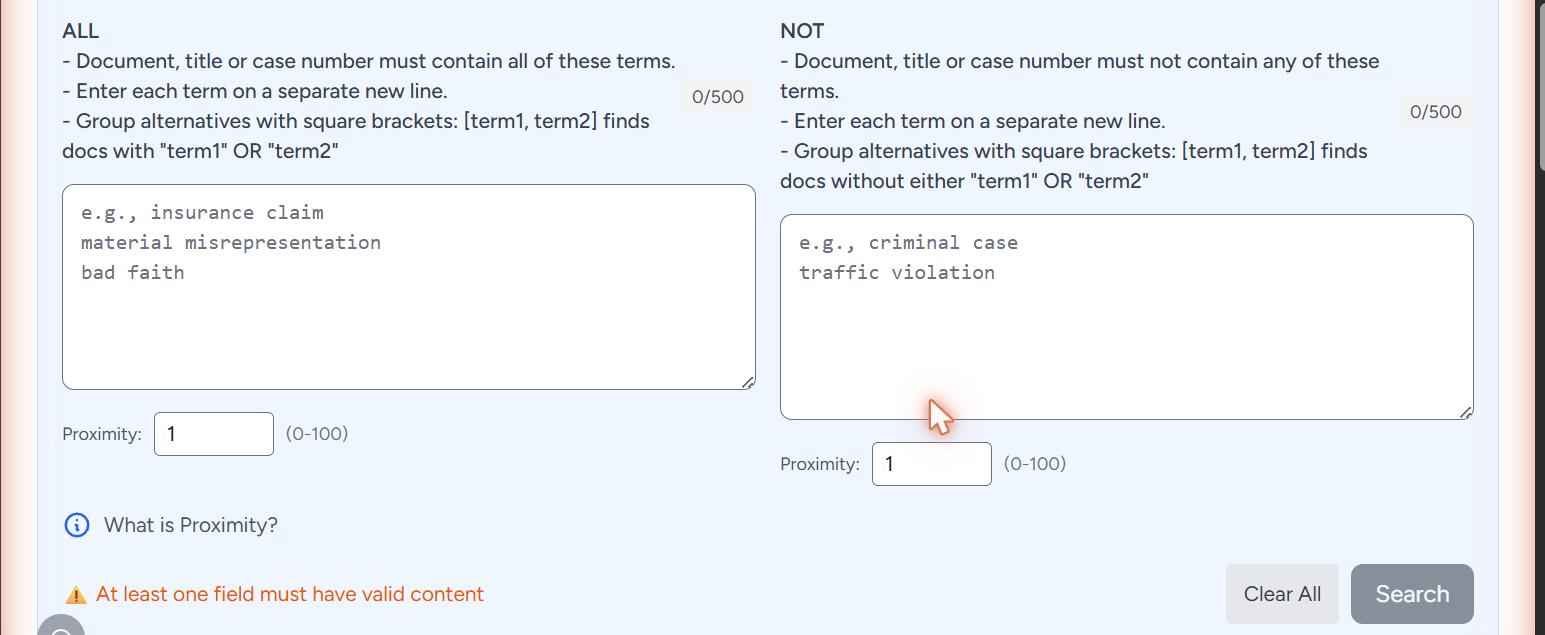
Advanced Search opens a Boolean builder for precise retrieval:
- an ALL field — every term must appear
- a NOT field — exclude anything containing these terms
- square brackets for alternatives —
[lease, tenancy]matches either - a Proximity setting controlling how close the words must be:
0for an exact adjacent phrase,1–5for a few words apart,6+for the same sentence or paragraph. Start around 1–2 and widen if you are getting too few results.
Enter each term on its own line. Advanced search covers the same corpus as the basic box — cases and legislation both.