Appearance
Chat with case law & legislation
Open a single judgment or statute and put questions to it. The answer streams back, written from that one document rather than from the corpus at large.
This is for when you already have the authority in front of you and need to know what it actually says — what the court held, what a rule requires, whether a passage helps you or hurts you.
Getting there
There are two ways in, and both start from a document you are already looking at.
From Keyword search. Every case result carries a View & Chat button.

Legislation works the same way. Acts, Legal Notices and Subsidiary Legislation each carry View & Chat too.

From a research answer. Everything a Legal research run relied on is a link into that document: the case names in the body are clickable citation chips, View Case sits beside every entry under Key Case Law Quotations, View sits on every Top Recommended Case, and View Act PDF opens the legislation in Key Act Quotations.

TIP
The Chat with case law card on the research screen opens a preselected judgment as a demonstration, so you can see how the panel behaves. To work on a document of your own, use one of the two routes above.
The document workspace
Opening a document gives you the whole record and the chat side by side.
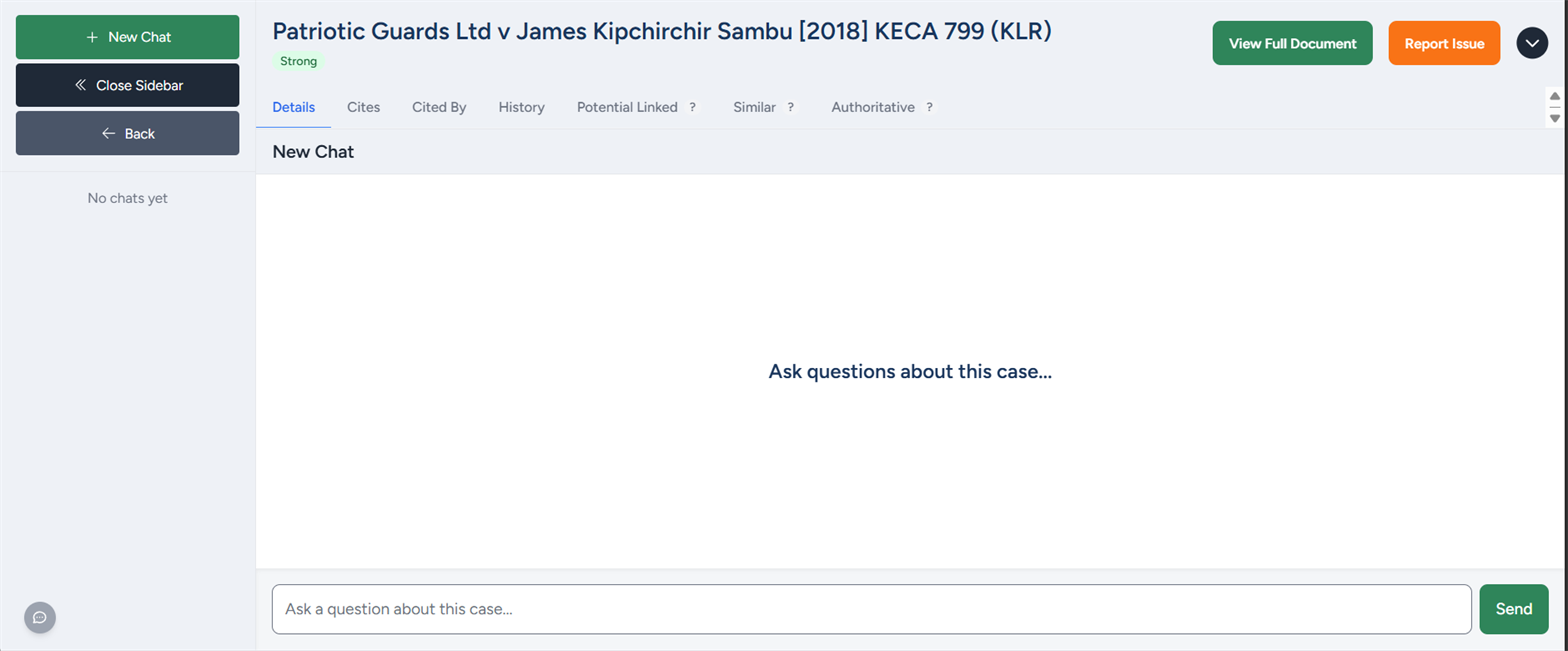
Across the top sits the document itself — its title, its authority-strength badge if it is a judgment, and View Full Document (or Open PDF for legislation) to read the source. The tabs are the citation network and JuriBase's related-case tabs, all described under opening a case. For legislation the workspace is the same, with three tabs rather than seven — Details, Cites and Cited By.
The rest is a chat panel. Type a question, press Send, and the answer streams in.
A worked example
This carries on from the ex parte judgment run on the Legal research page. That answer leaned on Patriotic Guards Ltd v James Kipchirchir Sambu, so the next step is to open that authority and press on it.
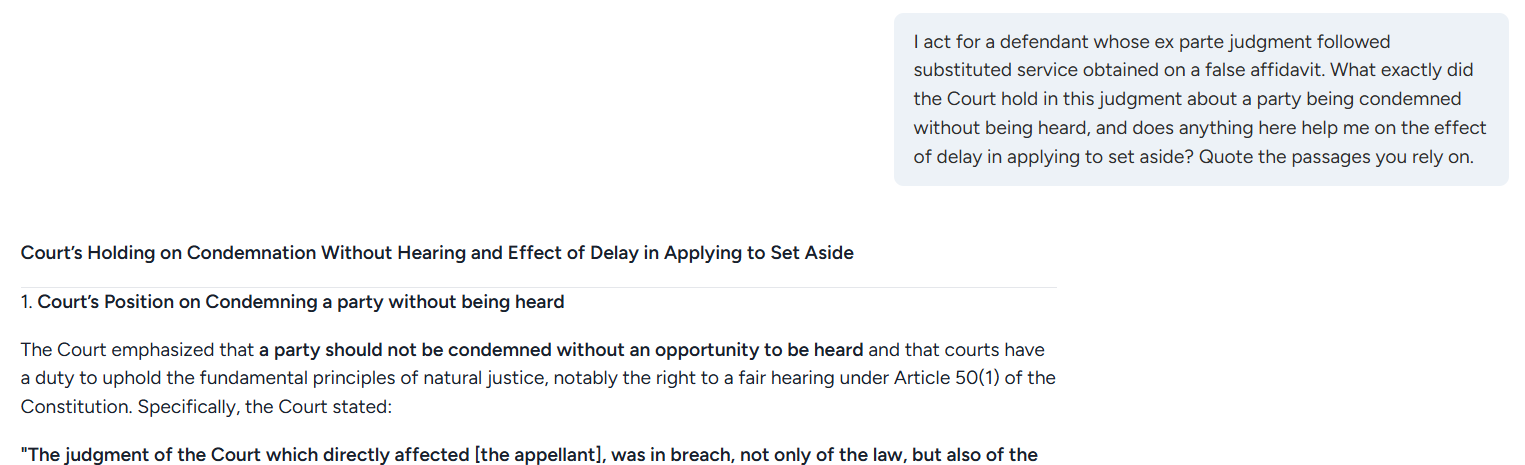
The question supplies the facts of the matter, which is what turns a summary into an answer you can use. It answers in the judgment's own words, then applies the holding to those facts — that substituted service obtained on a false affidavit renders the service invalid, so the defendant was never genuinely heard. It went on to the second limb too, on when a court will excuse delay.
The same thing on legislation
Legislation is where this earns its keep, because a statutory question usually has an exact answer.
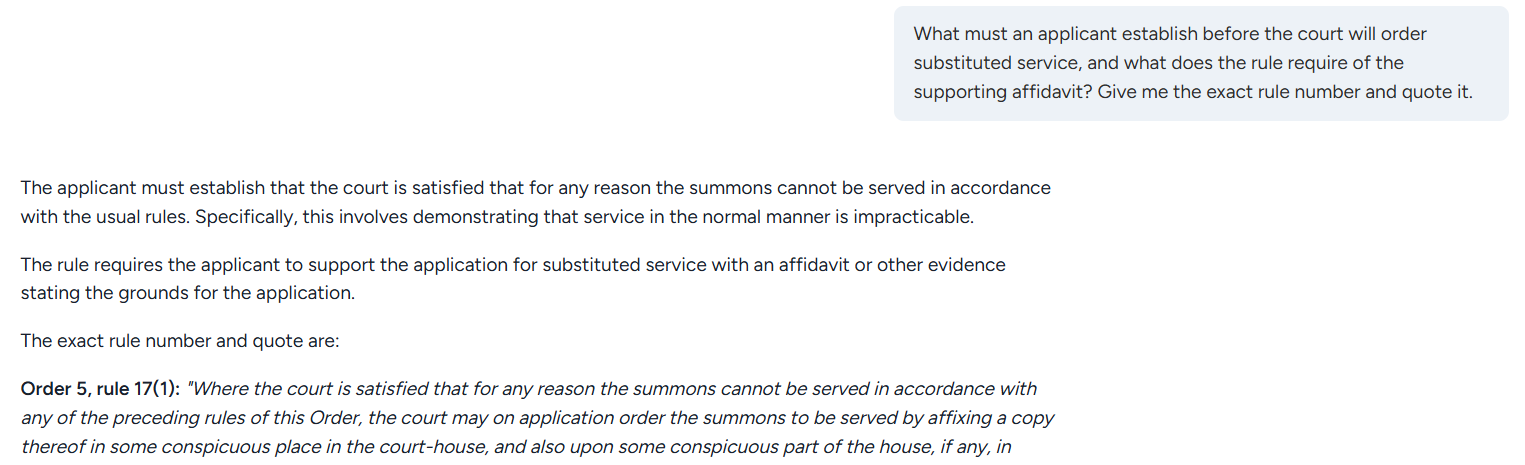
It named the provision — Order 5, rule 17(1) — and quoted it.
That is a technique worth keeping. A whole-corpus research answer is written to resolve an issue, and it will sometimes refer to a provision loosely while quoting it accurately. When you need the rule pinned down exactly — the number going into a filing — open the instrument and ask it there. The document knows its own numbering.
Your chats are kept
Each conversation is saved against the document it belongs to and titled automatically from what you asked. Reopen the same judgment or Act and its chats are in the left-hand sidebar. New Chat starts a fresh line of questioning on the same document, worth doing when you move to a different issue — the titles are what you will navigate by later.
Case chats are also collected in one place, under Case Chats in the main sidebar.
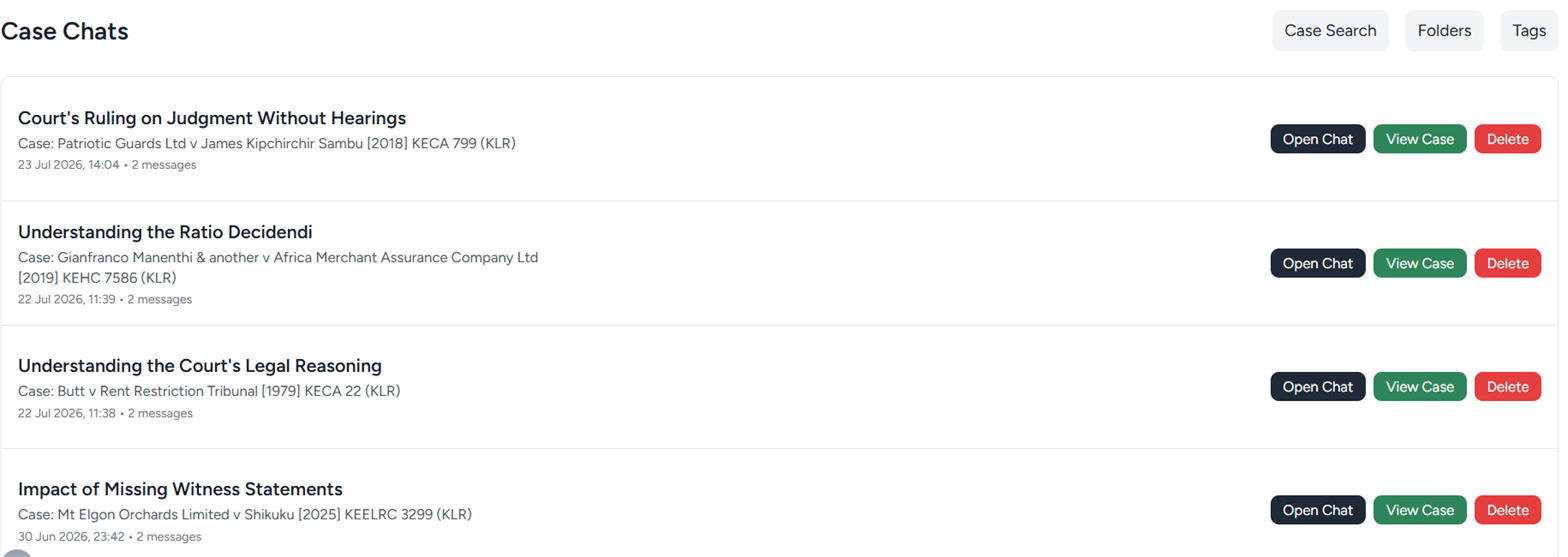
Chats on legislation are kept the same way and are there when you reopen the Act, but they are not yet collected into an index of their own.
Tips
- Ask for the passage, not the gist. "Quote the paragraph where the court deals with X" gets you something you can cite. "Summarise this case" gets you a headnote you still have to verify.
- Give it your facts, as the worked example does in its first sentence. Without them you get what the case says; with them you get what it does to your matter.
- Use the tabs alongside the chat. Ask what the case held, then check Cited By to see how later courts have treated it.
Limits worth knowing
- It answers from this document alone. It will not tell you whether the judgment has since been overruled, or whether the Act has been amended. The authority-strength badge is a rough signal, not a citator.
- One document at a time. A question spanning several authorities belongs in Legal research.
- Verify quotations against the source. View Full Document and Open PDF are one click away.
- Signing in is only needed for the chat. Search and the full document page — every tab included — are free without an account. See Keyword search.